

Job Statuses
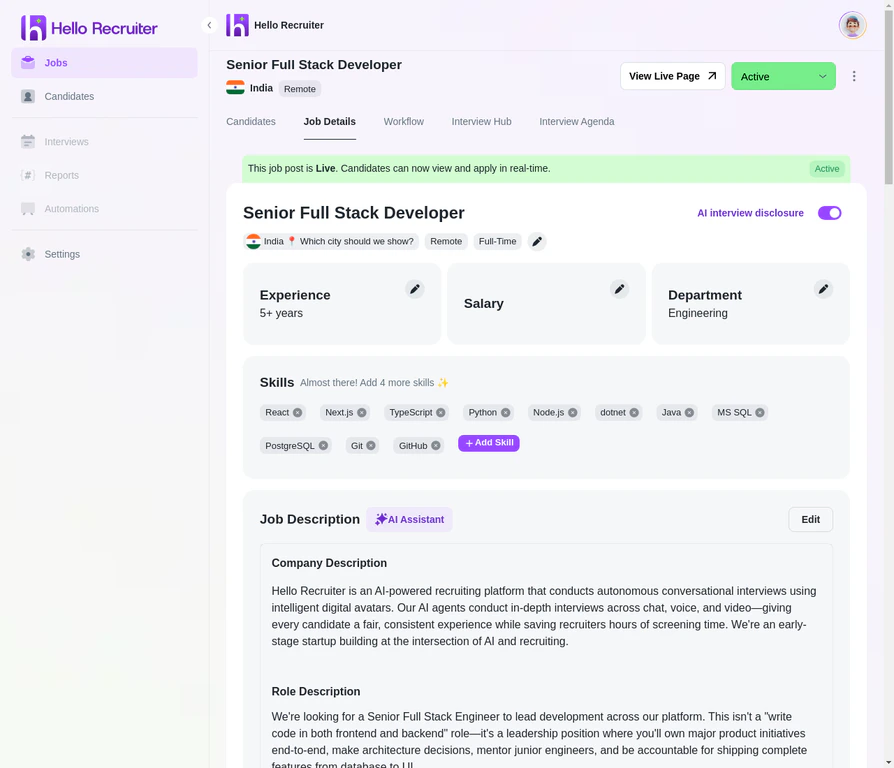
Changing a job's status
Publishing and Sharing
When you change a job’s status to Active:- It becomes visible on your company’s career page
- A unique job URL is generated that you can share anywhere
- Candidates can begin applying and completing AI interviews
Pausing a Job
When you need to temporarily stop accepting new applicants without closing the role entirely:- The job is hidden from your career page — no new candidates can find or apply to it
- In-progress interviews continue — candidates who have already received an invitation can still complete their interview
- All existing data is preserved — scorecards, candidate profiles, and pipeline status remain unchanged
- You can resume the job at any time by switching the status back to Active
Closing a Job
When you’re done hiring for a role:- The job is removed from your public career page
- Candidates can no longer apply
- Pending interview invitations expire
- All candidate data, evaluations, and insights are archived and remain accessible
Status Transitions
Not all status changes are available from every state. Here’s what you can do from each:Re-opening a closed job brings it back to Active status and makes it visible on your career page again. All previous candidate data is still attached. New candidates can apply alongside the existing pipeline.