

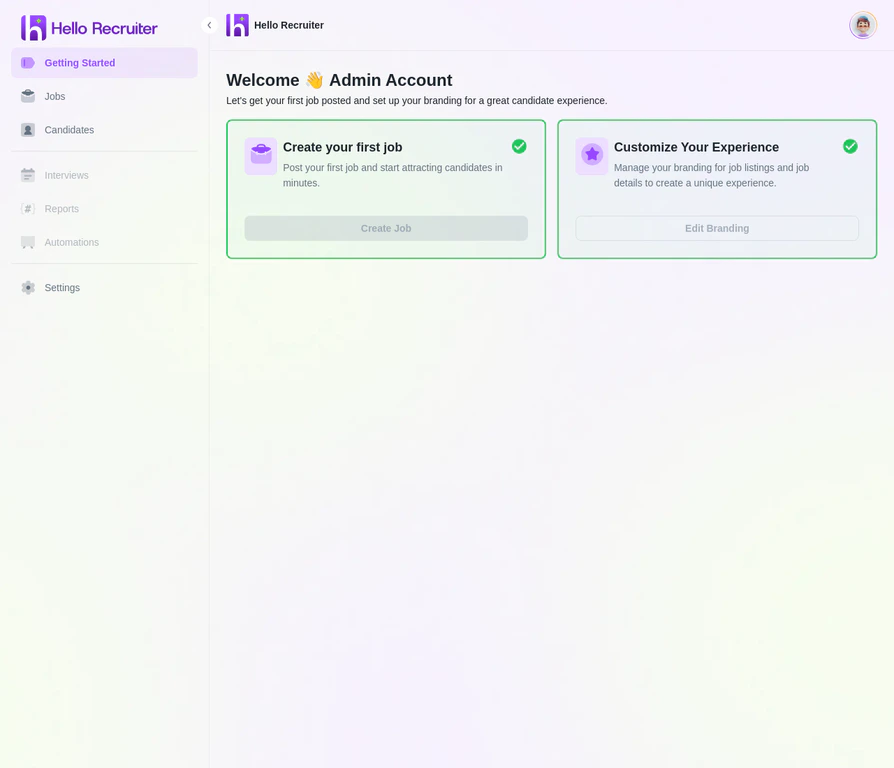
The Hello Recruiter Getting Started Page — your central hub for managing all hiring activities
Main Navigation
The primary navigation menu is always accessible on the left-hand side of your screen.Getting Started
Jobs
Candidates
Settings
Key Actions
From anywhere in the app, you can quickly:- Create a new job by navigating to the Jobs section and clicking + Create New Job.
- View the candidate pipeline by selecting any active job to see its applicant list.
- Access AI insights by clicking into any completed interview for scorecards and evaluations.
- Manage your team through Settings → Members.