

Who is this for? Users with the Organisation Administrator and Recruiter roles.
Email Settings
These are the emails the job sends candidates automatically. Under each setting, Default means you haven’t changed it, and Customized for this job means you have. On a live job, a banner at the top reminds you that changes apply to new candidate activity immediately.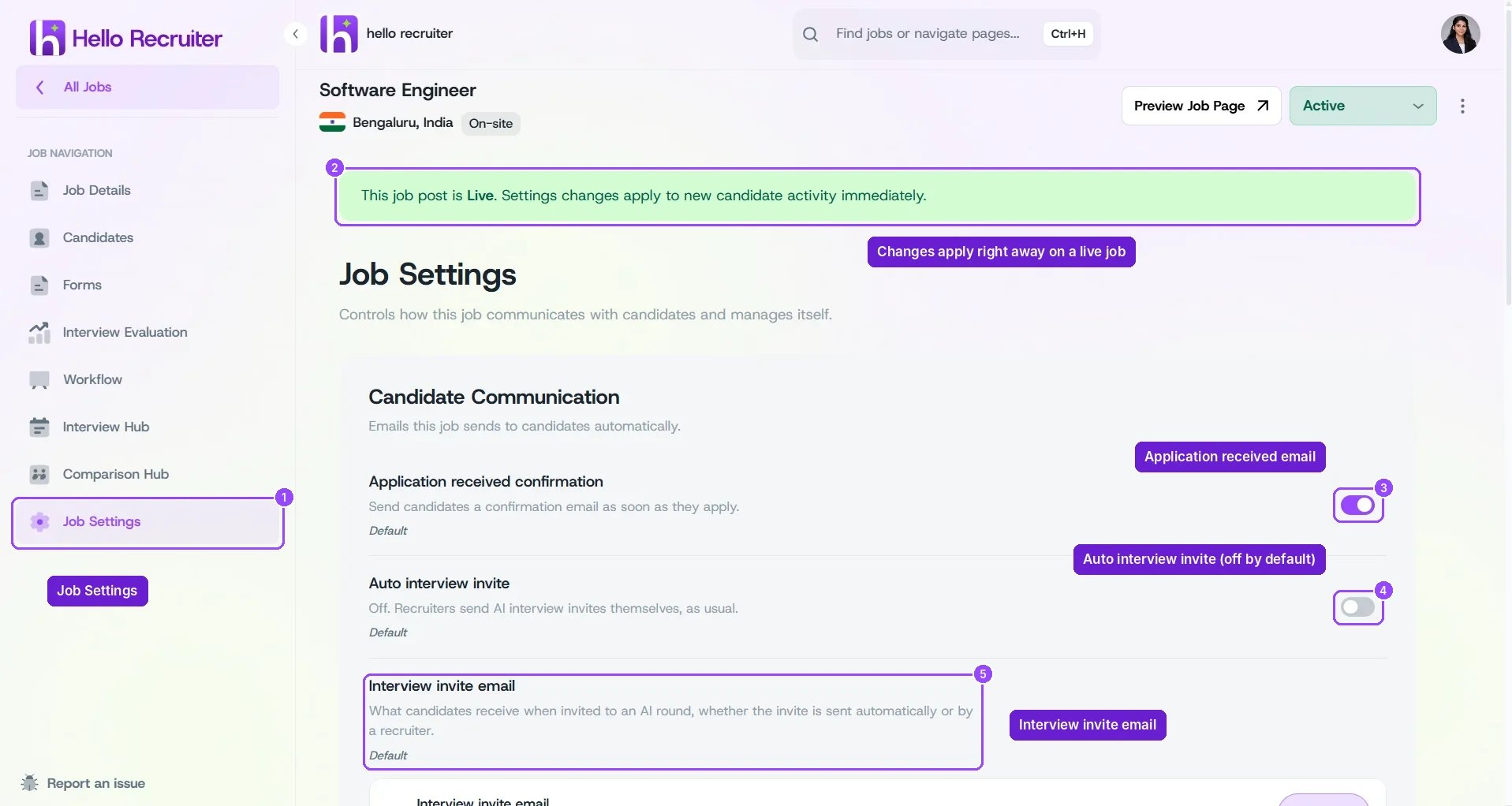
Job Settings — Candidate Communication
Interview Invite Email
By default, one email is used for every AI round, shown as Hello Recruiter default invite · Sent for all N AI rounds. Click Edit email to change it. To use a different email for some rounds, tick Use a different email for some rounds. Each AI round is listed with its interviewer (for example Screening Interview · Aria). Rounds marked Uses the main email use the default; click Customize next to a round to give it its own email.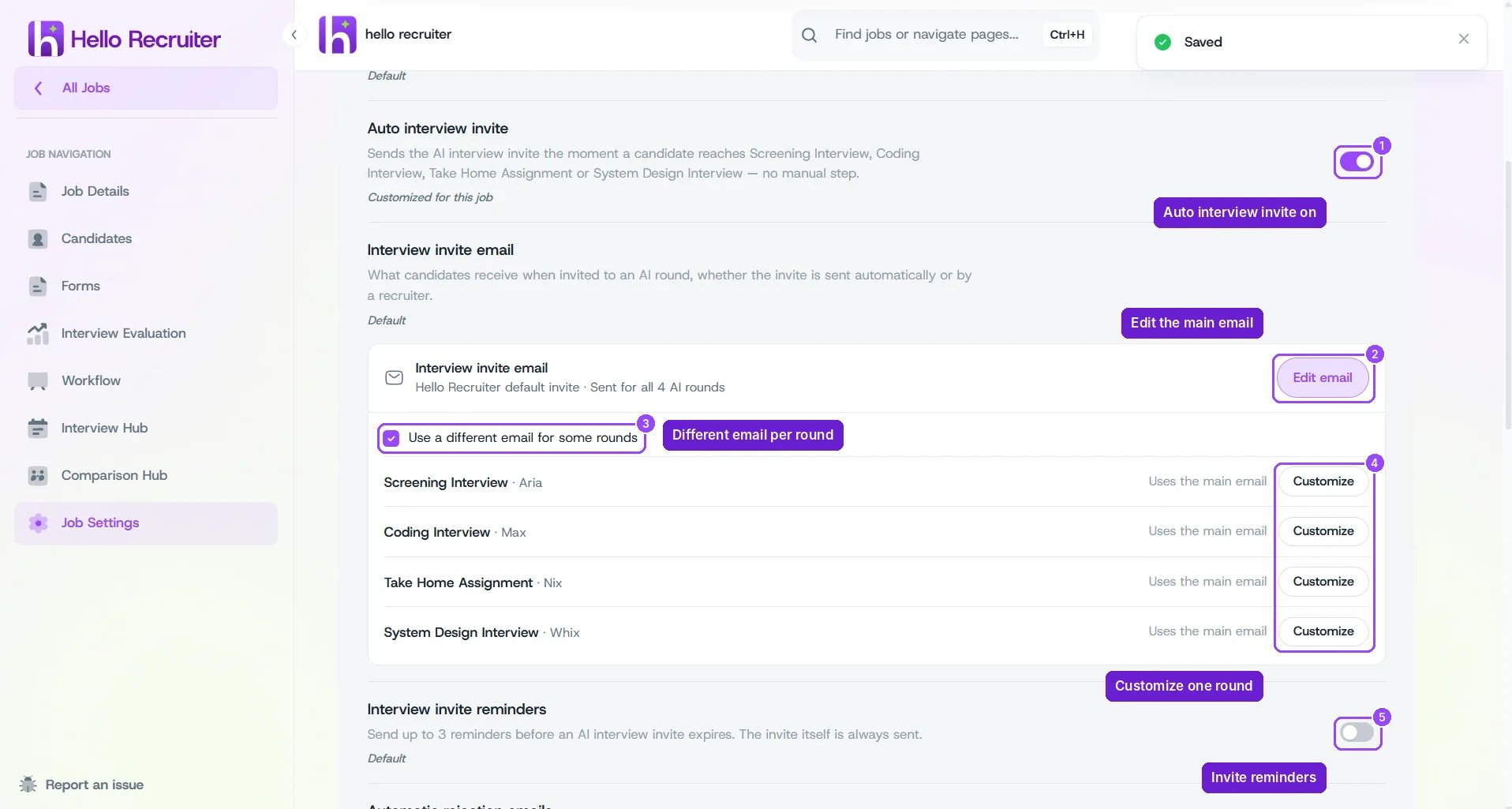
Interview invite email, with a different email per round
Rejection Email Delay
With Automatic rejection emails on, pick a Default delay: Send now, 1 hour, 2 hours, 4 hours, 8 hours, 1 day, or 2 days. For anything else, enter a Custom number and choose the unit. The delay is stored in hours, so 2 days is 48.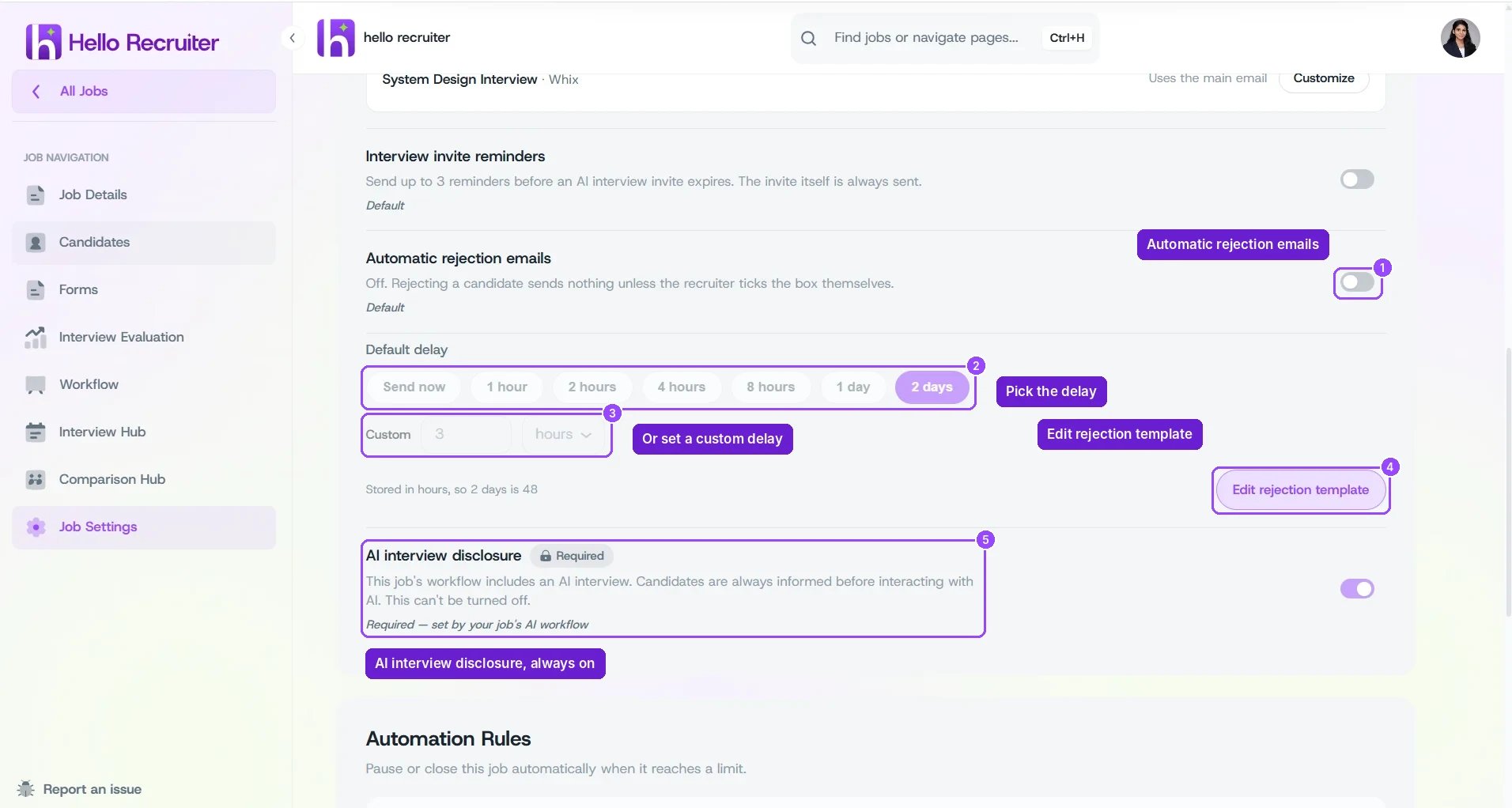
Rejection email delay and the AI interview disclosure