

Who is this for? Users with the Organisation Administrator role, plus whoever manages your company website.
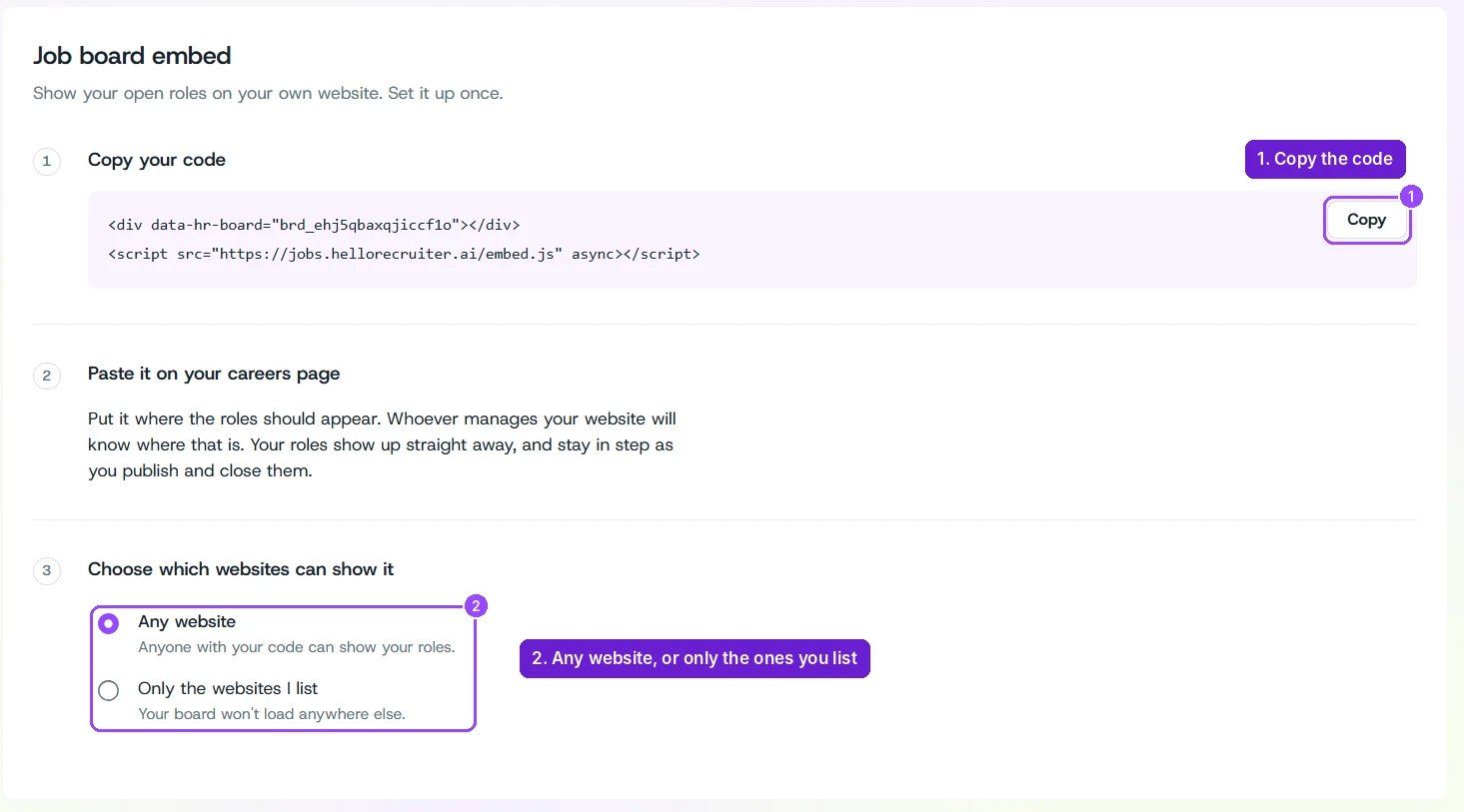
Organization Settings — Job Board Embed
Set Up the Embed
1
Open Job Board Embed
Open the main menu and go to Organization Settings → Job Board Embed.
2
Copy your code
Under Copy your code, click Copy. The snippet has two lines: a Always copy the snippet from the app. It contains your organization’s own board ID in place of
<div> that marks where your board appears, and a <script> tag that loads the board.YOUR_BOARD_ID.3
Paste it on your careers page
Paste both lines where the roles should appear on your website. If someone else manages your site, send them the snippet.
4
Choose which websites can show it
- Any website — anyone with your code can show your roles.
- Only the websites I list — your board won’t load anywhere else. Choose this to stop other sites from reusing your code.
careers.yourcompany.com) and click Add. Start with *. (for example *.yourcompany.com) to cover every address under a domain. You can list up to 50 websites. Click × next to a website to remove it.