

Video walkthrough coming soon. A short video of applying for a job will appear here.
Filling In the Form
1
Open the job and click Apply Now
From the company’s careers page or the link you were sent.
2
Answer the questions
Questions marked with a red * are required. Every form asks for your full name and email address. Many also ask for your phone number, resume, and LinkedIn profile, along with questions specific to the role.
3
Upload your resume
Drag your resume into the upload box, or click browse to pick it. The box shows which file types and sizes it accepts. For most jobs that’s PDF or Word (.pdf, .doc, .docx), up to 10 MB.
4
Agree to the terms
Tick the boxes agreeing to be interviewed and evaluated by AI, and to the Privacy Policy and Terms of Service. If the role includes interview calls or texts, there’s also a box for that.
5
Click Submit Application
You’ll see a confirmation once your application is sent.
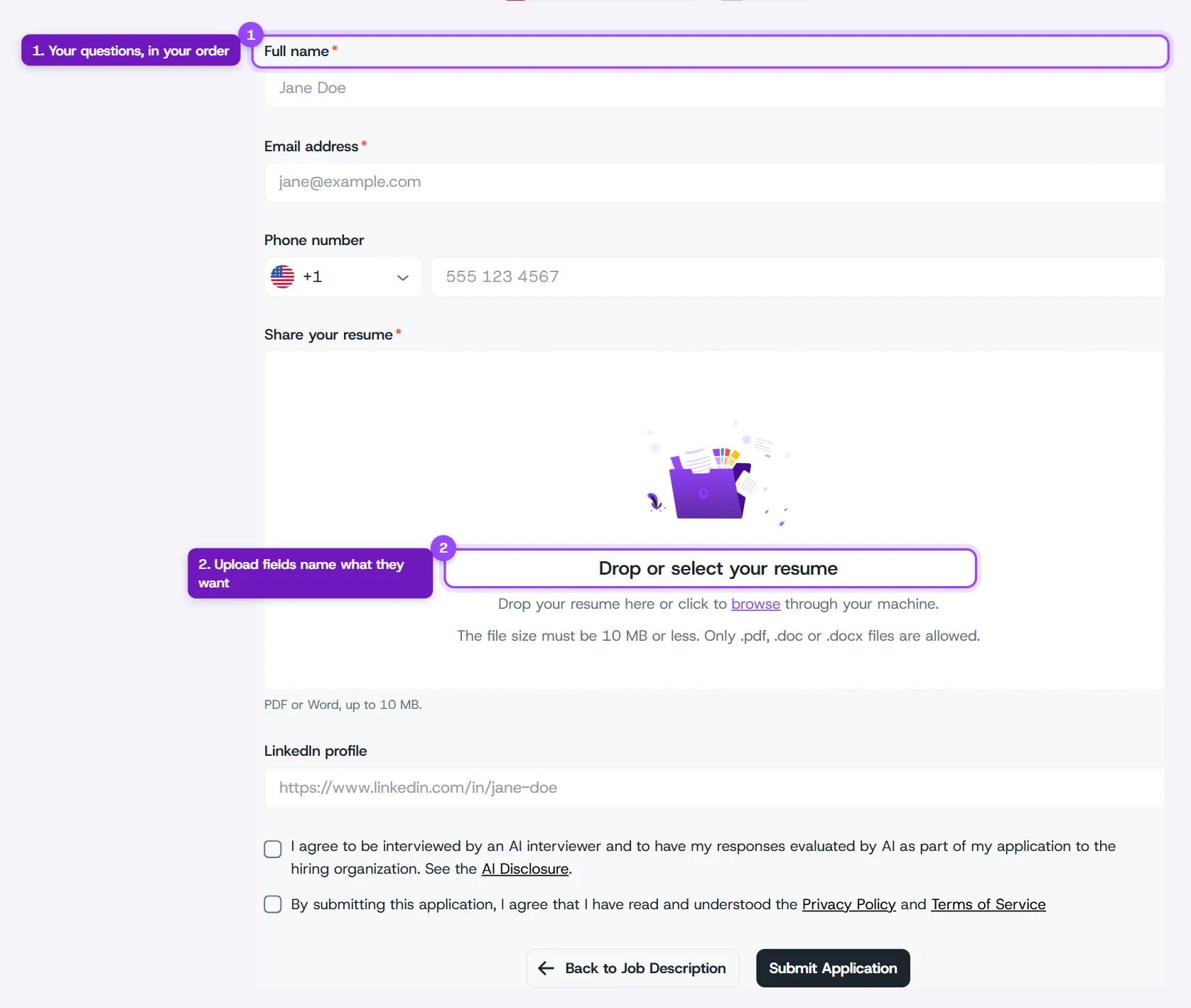
An application form