

Who is this for? Users with the Organisation Administrator and Recruiter roles.
Setting Up Evaluation Criteria
Where to Set Criteria
- When you create a job — step 3, Evaluation Criteria, shows criteria the AI suggests from your job description.
- On an existing job — open the job and choose Interview Evaluation from the Job Navigation menu on the left. The page is titled How Should Hello Recruiter Evaluate Candidates?
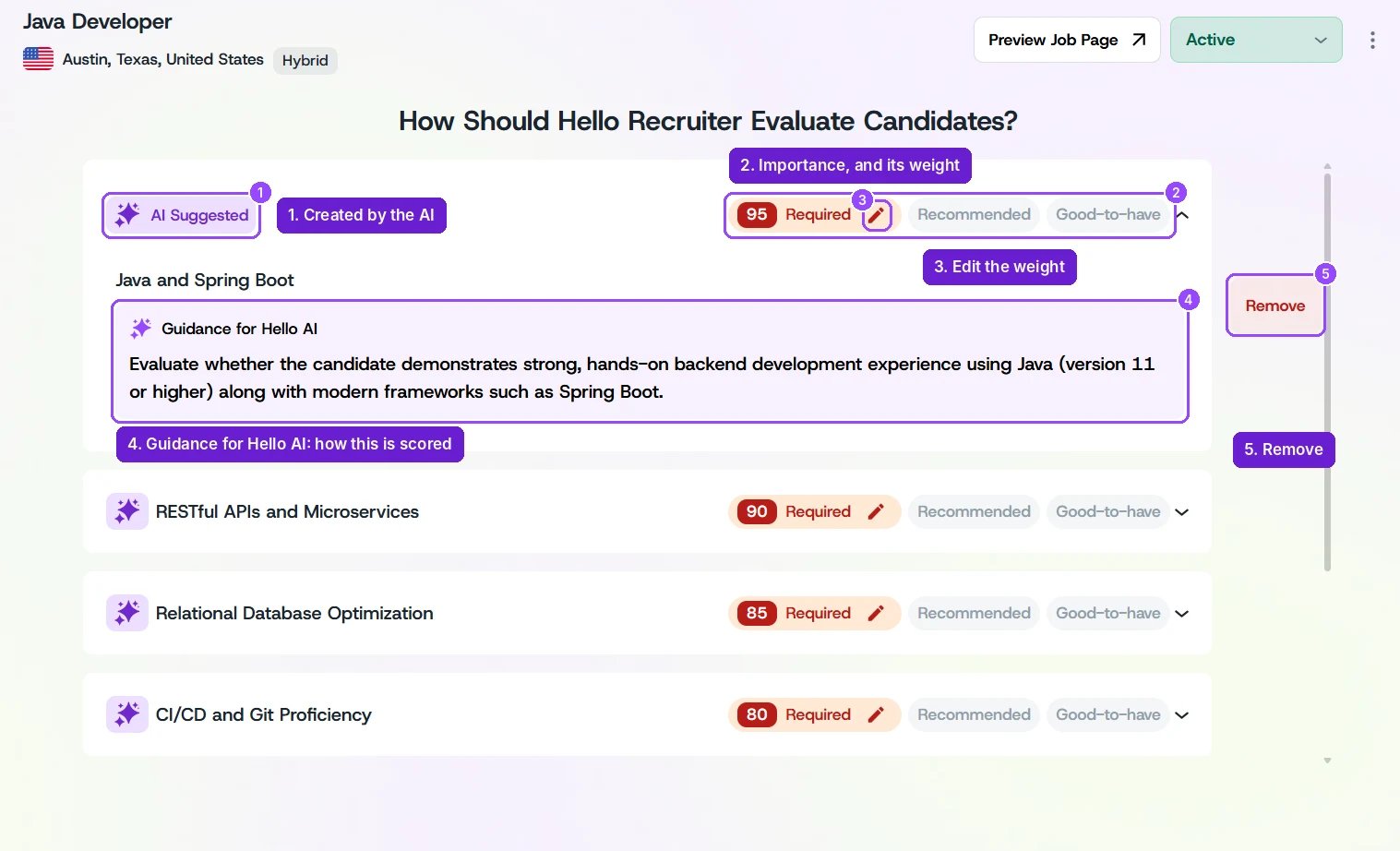
A job's Interview Evaluation page, with one criterion expanded
Importance and Weight
Every criterion has an importance level and a numeric weight:- Click Required, Recommended, or Good-to-have to change a criterion’s importance.
- Click the pencil next to the weight to fine-tune it (for example, 90 instead of 100 for a slightly less critical must-have).
- Criteria with higher weights have a bigger effect on the candidate’s overall score. Weights don’t need to add up to any total.
Guidance for Hello AI
Expand a criterion (click the arrow on the right) to see its Guidance for Hello AI. The AI treats this text as a strict instruction when scoring that criterion, so write it as a clear rule, for example:Mark yes if the candidate has personally run daily floor operations (receiving to shipping) and owned throughput or accuracy targets. Oversight-only roles count as no.Criteria the AI created are tagged AI Suggested. Review their guidance like you would your own.
Adding and Removing Criteria
- Click Add Evaluation Criterion at the bottom of the list to add your own.
- Expand a criterion and click Remove to delete it.
Save Your Changes
As soon as you change a criterion, a You have unsaved changes banner appears at the top. Click Save to apply your changes, or Revert to go back to the previous version. Refreshing the page before you save loses your changes.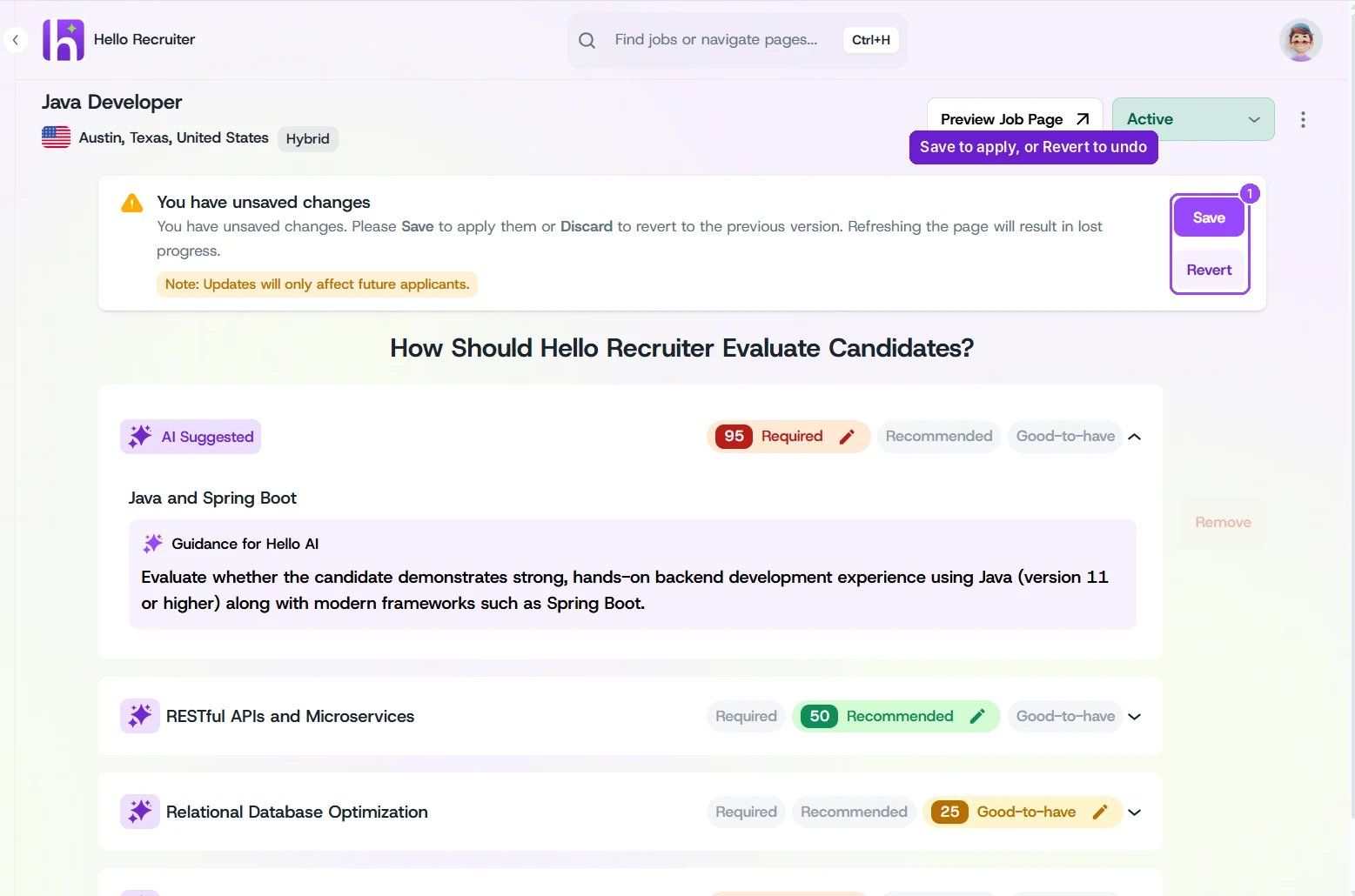
Save or revert your changes
Updates only affect future applicants. Candidates who were already evaluated keep their existing scores.