

Who is this for? Users with the Organisation Administrator and Recruiter roles.
Turn On a Phone Interview
1
Open the screening stage
Open the job, choose Workflow from the Job Navigation menu, and click the Aria screening stage (or add one).
2
Switch on Telephony interview
On the stage’s Overview tab, turn on Telephony interview. The switch only appears on jobs where phone interviews are available (currently for candidates in the US), so you won’t see it on, for example, a job based in India.
3
Save
Click Save Changes.
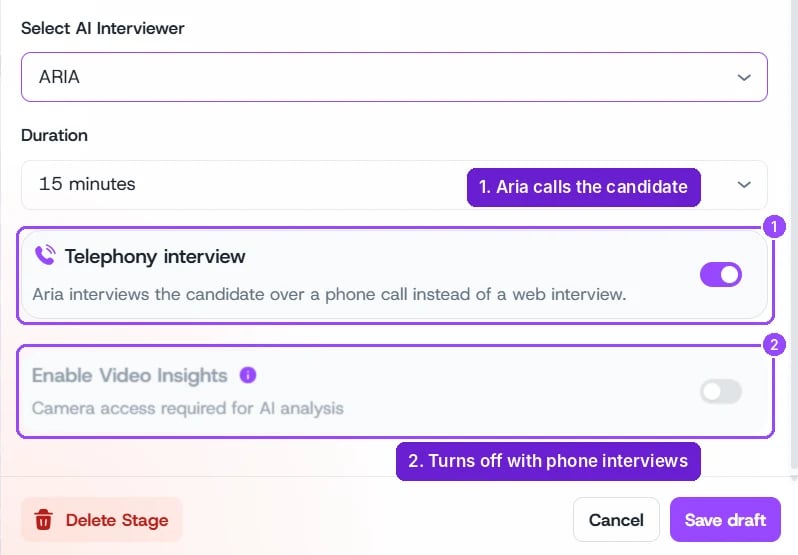
Telephony interview on an Aria stage
Before You Turn It On
- Phone number is required. A job that interviews by phone makes Phone number a required question on its application form automatically.
- Candidates are still told it’s AI. The job’s AI interview disclosure applies to phone interviews too.
- Results appear in the usual place, on the candidate’s Evaluation tab.