

Who is this for? Users with the Organisation Administrator role. Integrations are included in the Professional plan — see Plans & Billing. On other plans, Integrations shows a lock in Organization Settings with “Available on the Professional plan”.
Integrations Overview
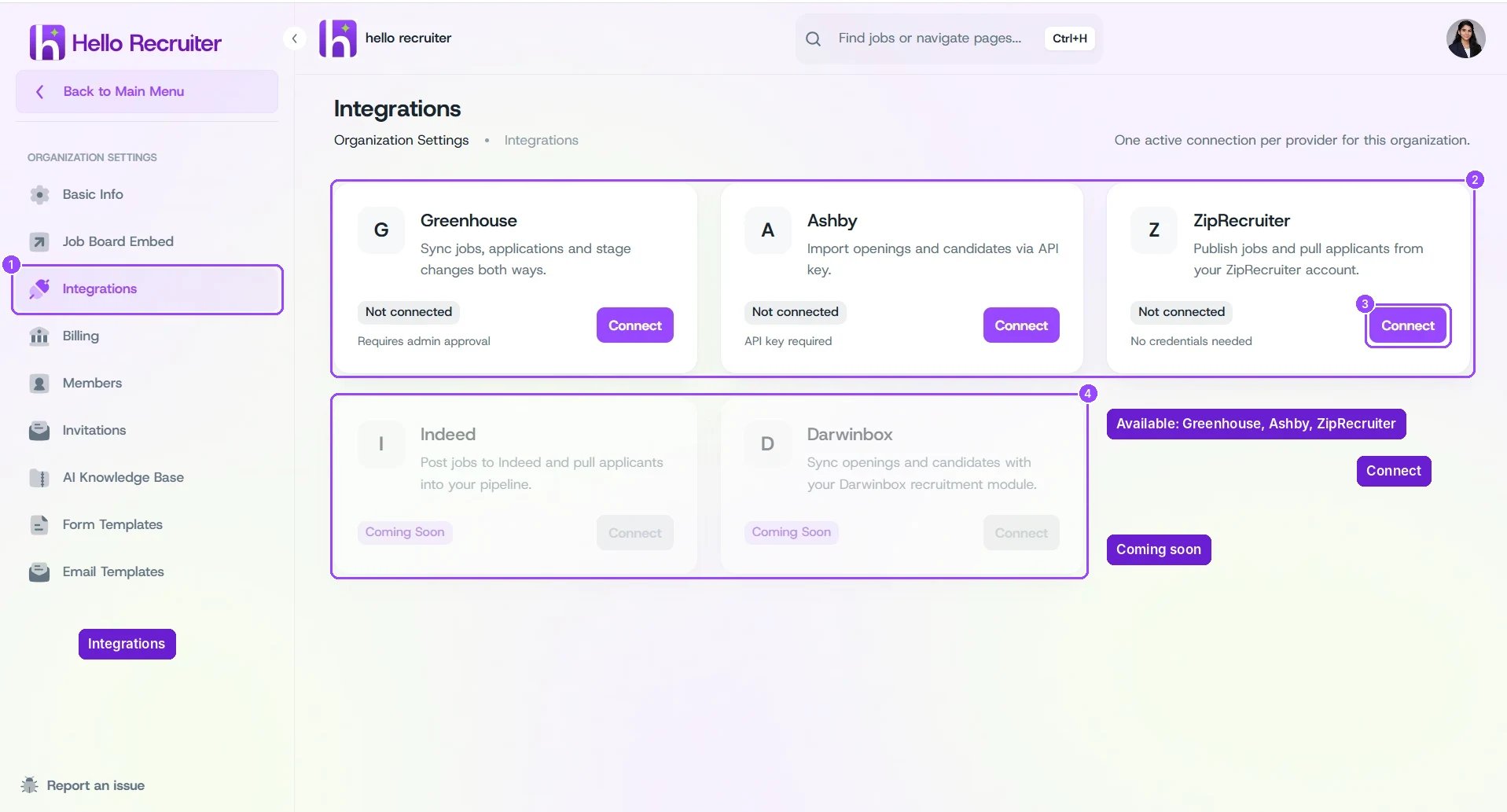
Organization Settings → Integrations
Available Integrations
Coming soon: Indeed (post jobs to Indeed and pull applicants into your pipeline) and Darwinbox (sync openings and candidates with your Darwinbox recruitment module). Their cards appear on the Integrations page, but can’t be connected yet.
Connect an Integration
1
Open Integrations
Open the main menu and go to Organization Settings → Integrations.
2
Click Connect
Click Connect on the integration’s card. The card shows what you’ll need, such as Requires admin approval or API key required.
3
Follow the integration's setup
Each integration has its own steps — see its guide below.
Your organization can have one active connection per provider — for example, one Greenhouse account.