

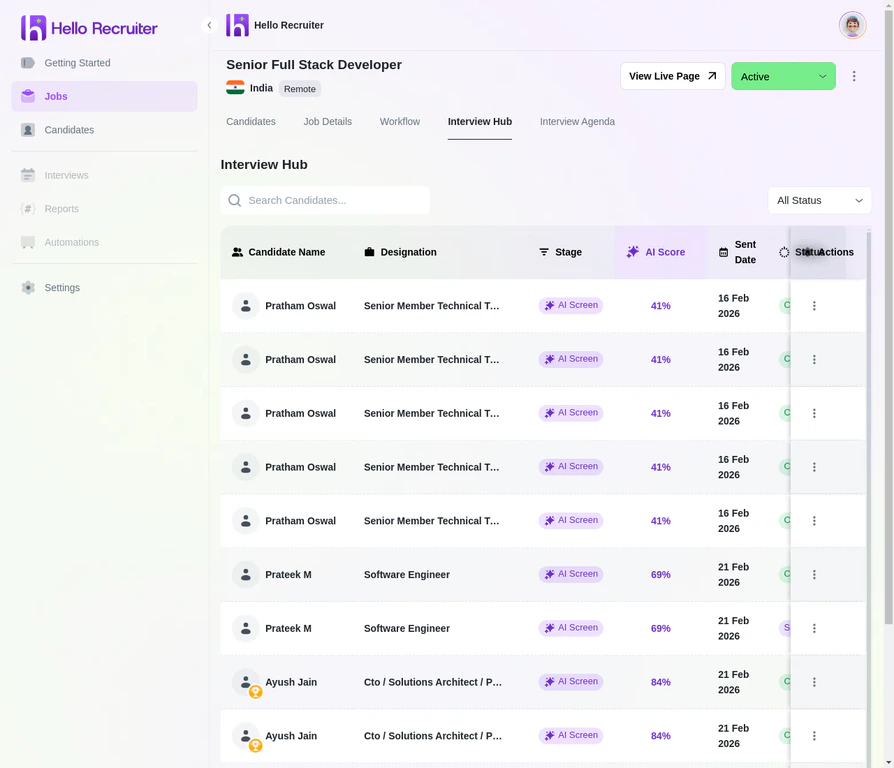
The Interview Hub showing candidates across different stages
Interview States
Reviewing Completed Interviews
When an interview is completed:1
Open Candidate Profile
Navigate to the candidate’s profile from the Candidates section or the Interview Hub.
2
View the Interview
Click View Interview to see the full conversation, including the transcript and any recordings.
3
Review the Scorecard
Check the Scorecard tab for AI-generated evaluations, criteria breakdowns, and the AI summary.
4
Check Risk Signals
Review the Risk Signals tab for any flagged activity such as AI usage or impersonation.
Interview Recordings
If enabled, you can access the full interview recording:- Video playback of the candidate’s session
- Transcript of the full conversation
- Timestamp markers for key moments flagged by the AI