

Who is this for? Users with Administrator or Account Owner roles.
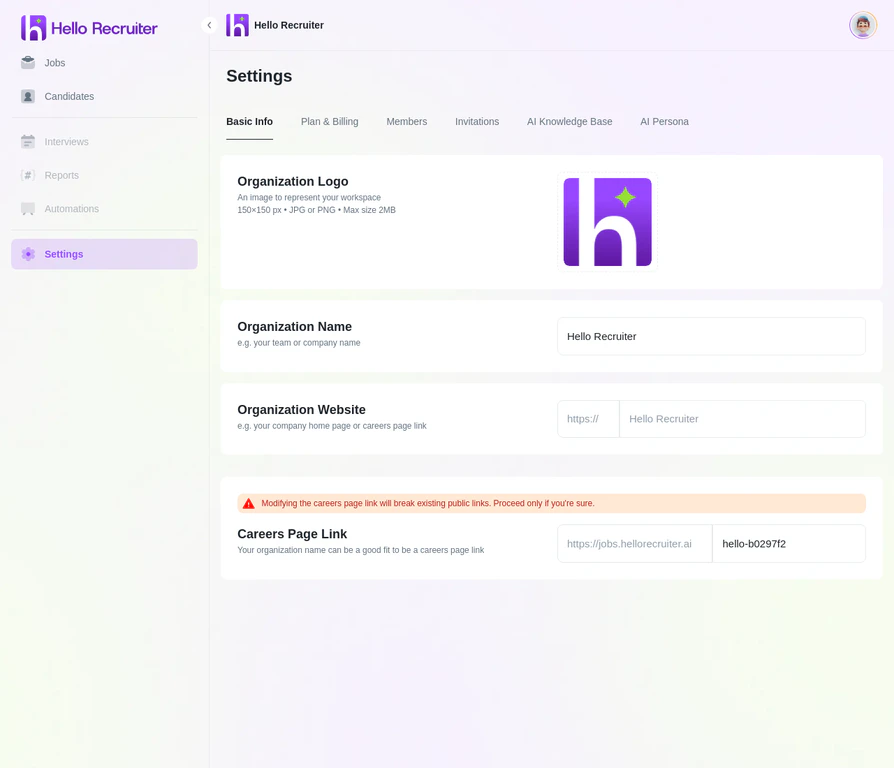
Organization settings — upload your logo, set your company name, and configure branding
What You Can Customize
- Company Logo — Displayed on your career page and in candidate emails
- Company Name — Your organization’s display name across the platform
- Career Page URL — Your custom slug (e.g.,
jobs.yourcompany.com)
How to Update Branding
1
Open Settings
Navigate to Settings from the main sidebar.
2
Select Basic Info
Click Basic Info in the settings menu.
3
Upload Your Logo
Click the logo upload area and select a high-resolution image. Recommended: PNG or SVG, at least 200x200 pixels.
4
Set Your Career Page URL
Enter a custom slug for your public careers page.
5
Save Changes
Click Save to apply your branding across the platform.