

Who is this for? Users with the Organisation Administrator and Recruiter roles.
Rule Types
Automation rules pause or close the job automatically when it reaches a limit. There are two kinds: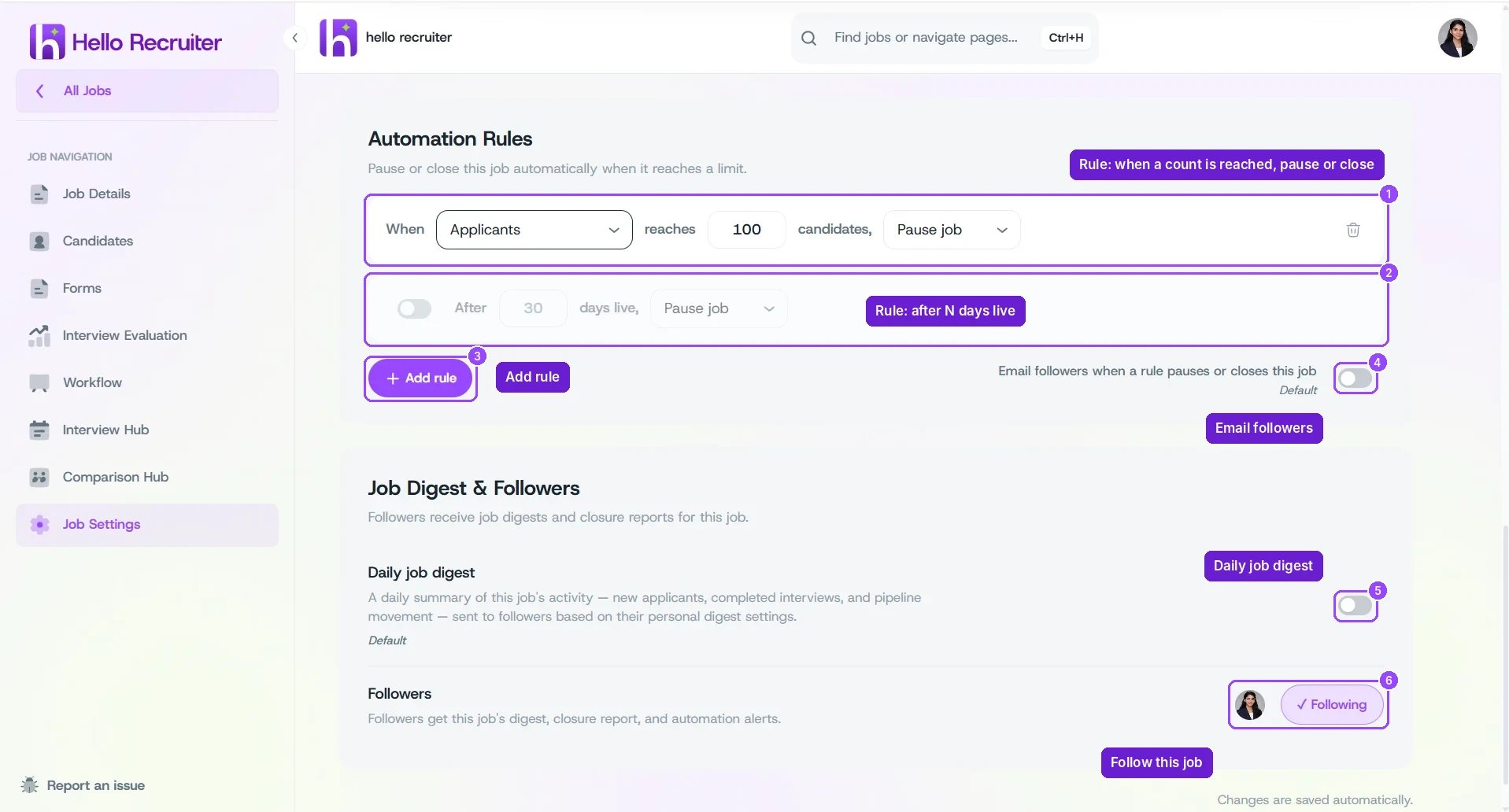
Job Settings — Automation Rules and Job Digest & Followers
Add a Rule
1
Add a rule
Click + Add rule.
2
Set the limit and action
Choose the stage group and number of candidates (or the number of days live), then choose Pause job or Close job.
3
Turn the rule on
Rules with a switch, such as After 30 days live, only run when the switch is on.
4
Notify followers (optional)
Turn on Email followers when a rule pauses or closes this job so the hiring team knows.