

Who is this for? Users with Administrator or Account Owner roles.
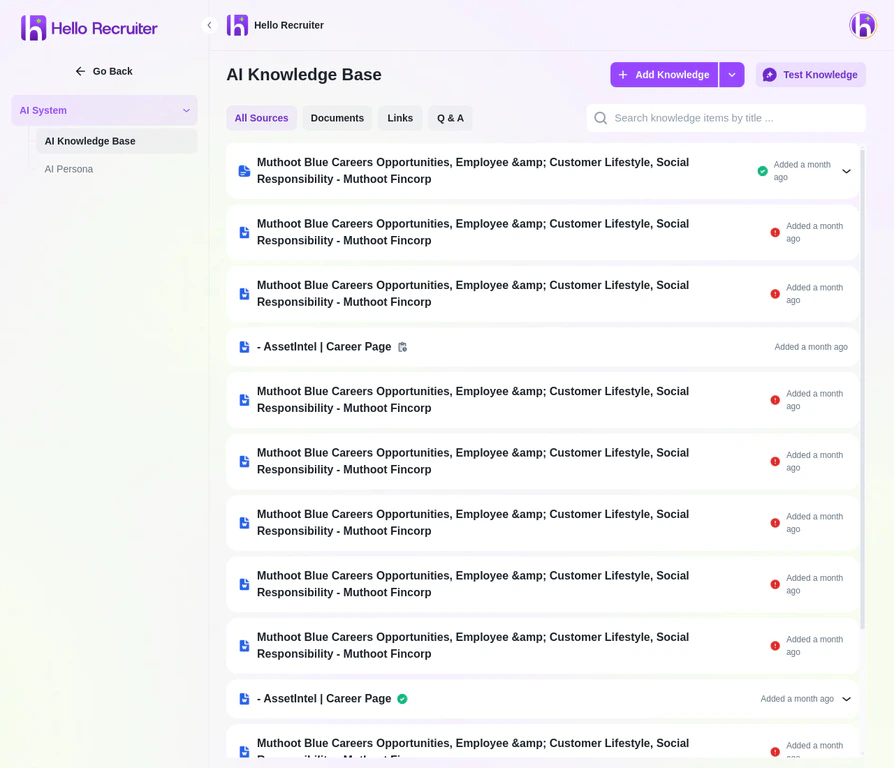
The AI Knowledge Base with uploaded documents and sources
What to Include
Provide information that helps the AI understand your organization:- Company overview — What you do, your mission, market position
- Culture and values — What matters to your team
- Products and services — Key offerings the candidate should understand
- Technical stack — Technologies your team uses (for technical roles)
- Common interview topics — Specific areas you always want explored
Adding Knowledge
1
Navigate to AI Knowledge Base
Go to Settings → AI System → AI Knowledge Base.
2
Click Add Knowledge
Click the + Add Knowledge button to open the upload dialog.
3
Choose Your Content Type
You can add knowledge by uploading documents, adding website links, or creating Q&A pairs.
4
Save
Click Save — the AI will incorporate this context in all future interviews.
How It’s Used
The AI uses your knowledge base to:- Ask contextual follow-up questions related to your specific domain
- Evaluate responses against your company’s actual needs
- Provide richer scorecards with company-specific insights