

Who is this for? Users with the Organisation Administrator and Recruiter roles.
Interview Questions and Guidance
Open Interview Guidance
Open the job, choose Workflow from the Job Navigation menu, click the interview stage, and open the Interview Guidance tab. Every AI interviewer (Aria, Max, Nix, and Whix) works in one of two modes:
The labels differ slightly by interviewer:
Questions (Aria)
Use Questions when you want specific questions asked. Screening Questions covers each step in full, including how to review what Generate writes.1
Say what to cover
Under What should the questions cover?, type the topics to cover, or paste your own questions. This text is only used to generate questions; the interviewer never reads it.
2
Generate the questions
Choose how many questions you want (Auto lets the AI decide), then click Generate.
3
Review and edit
Each question is numbered and can have a follow-up question under it (marked ↳). Edit any question, drag the handle on the left to reorder, click the bin to delete a question, or × to remove a follow-up. Click + Add question to write one yourself. Aria asks the questions in order; if time runs short, it drops the last ones.
4
Check the time
Above the list, the app shows how long the questions take, for example “5 questions, about 18 of 15 min. Some may not fit.” Remove a question or raise the stage’s Duration if you see that warning.
5
Save
Click Save draft.
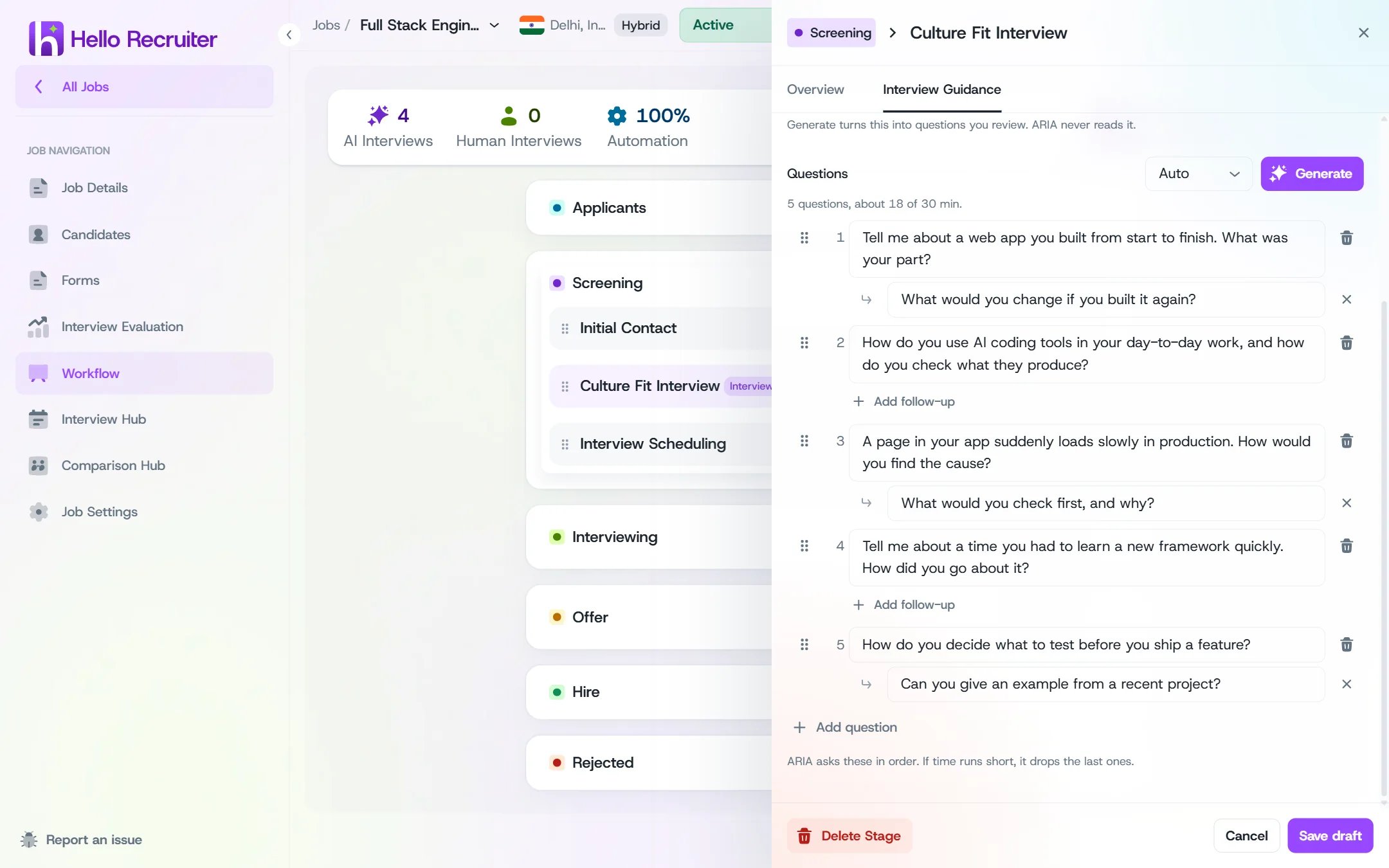
Questions mode for an Aria screening stage
Guidance (Aria)
Use Guidance when you’d rather describe what matters than list exact questions. Type it in the Interview guidance box: Aria reads it during the interview, and the candidate never hears it. Write it the way you’d brief a colleague, for example: “Focus on hands-on Spring Boot experience. Ask for one concrete example per topic, and keep follow-ups short.” Guidance is also where you set how deep the interviewer should go: ask for brief follow-ups for high-volume roles, or ask it to probe for specifics and alternatives for senior roles.Auto and Guided (Max, Whix, Nix)
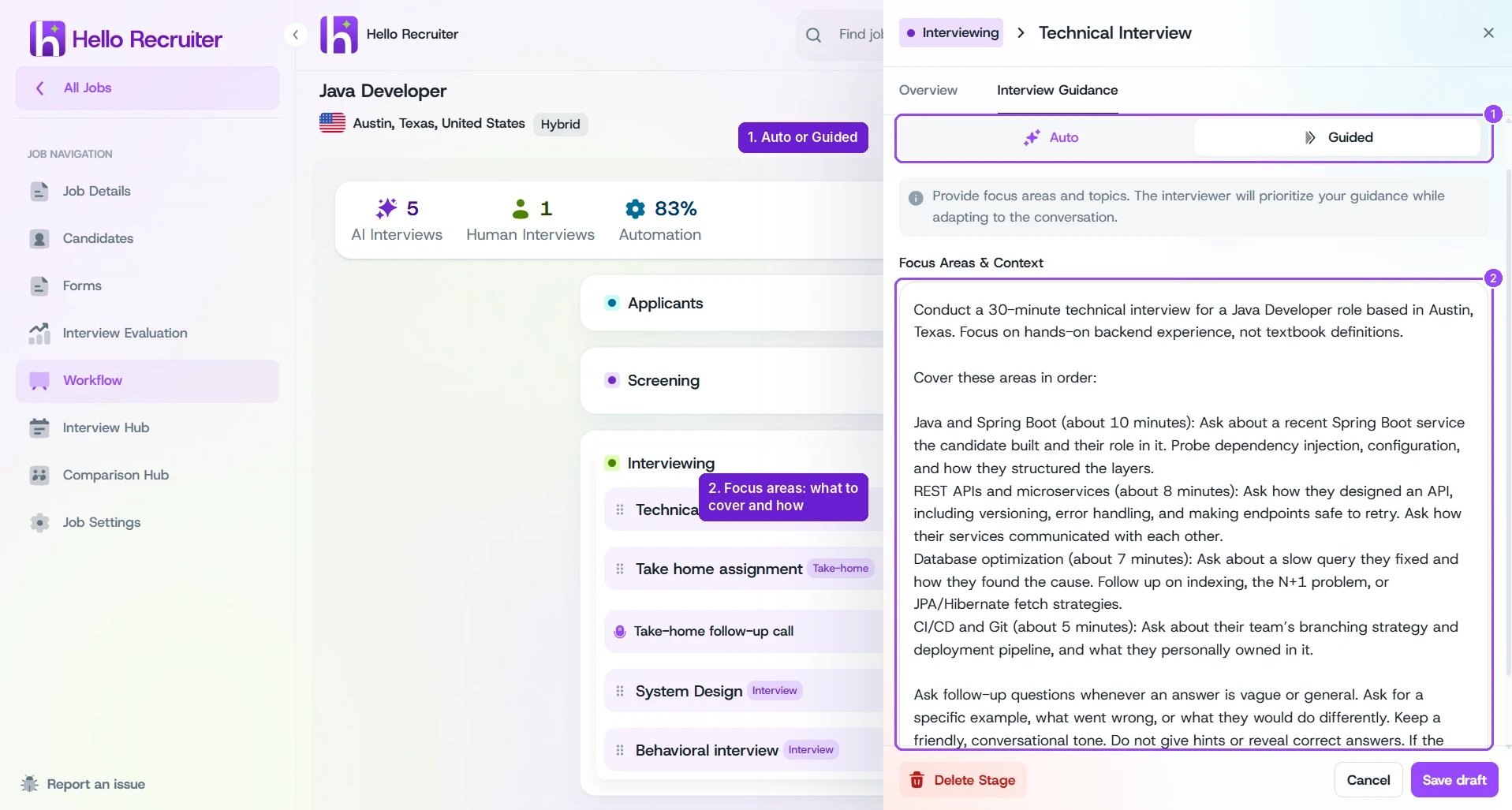
Guided mode for a Max coding interview