

Who is this for? Users with the Organisation Administrator and Recruiter roles.
Daily Job Digest
Turn on Daily job digest to send followers a daily summary of the job’s activity: new applicants, completed interviews, and pipeline movement. It’s off by default. Each follower gets it according to their own digest settings in Account settings → Notifications — see Account Setup.Followers
Followers get the job’s digest, closure report, and automation alerts. The Followers row shows who follows the job.- Click Follow job to follow it yourself. Once you follow, the button shows ✓ Following; click it again to unfollow.
- You can also choose Follow from the job’s ⋮ menu.
- If no one follows the job, no digests or closure reports are sent.
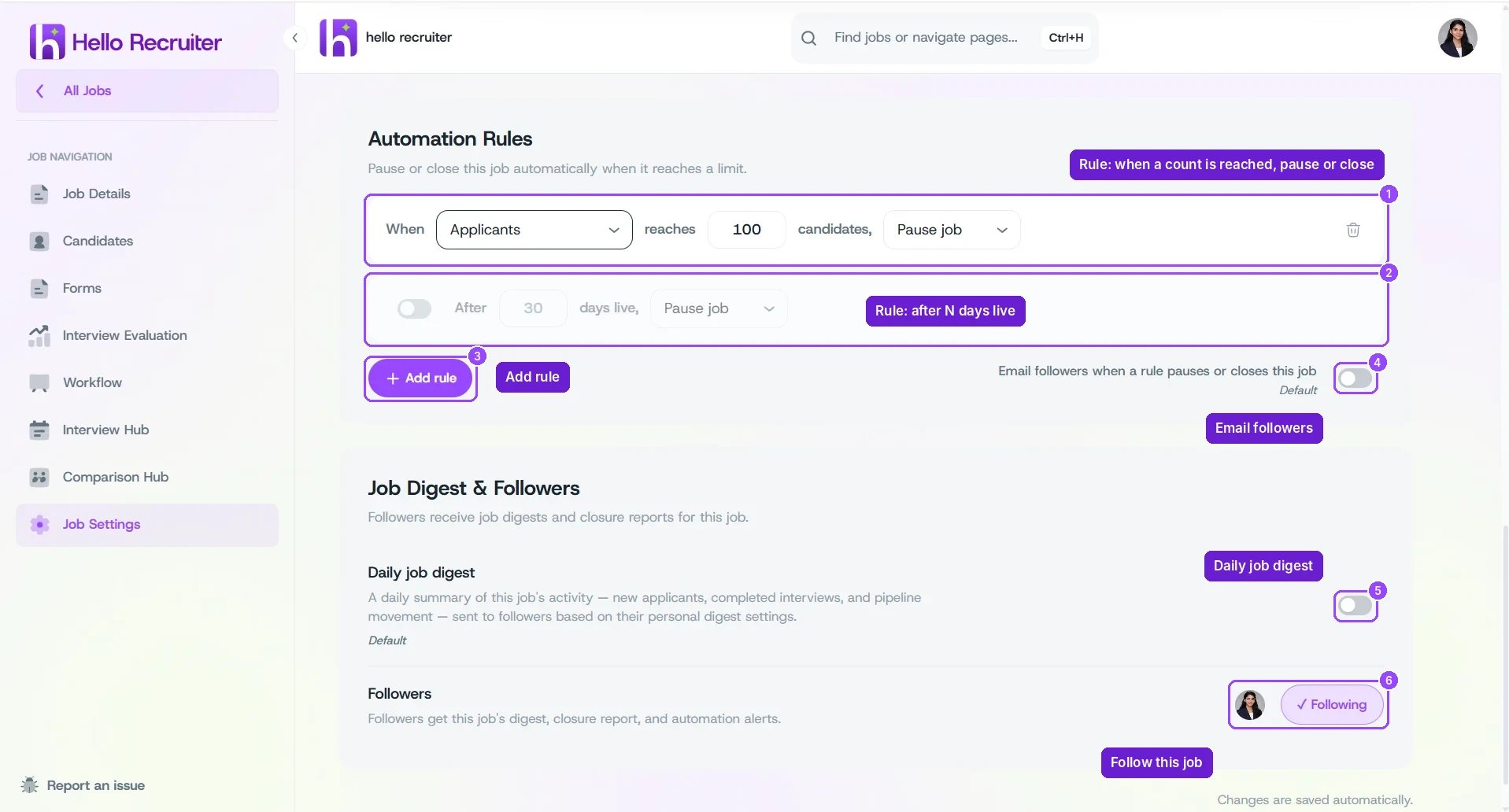
Job Digest & Followers
What the Emails Look Like
Followers get two kinds of email. Each person picks how often they get them in Account settings → Notifications (see Account Setup), and both cover only the jobs they follow.Activity Report
Sent during the day when there’s activity: Hourly, Every 2 hours, or Every 4 hours, depending on your setting. It covers one time window, for example “Oct 27, 7:30 PM – Oct 28, 7:30 AM”.- Totals for the window, such as new applicants and completed interviews, compared with the previous window.
- Each job with its new, interviewed, and flagged counts.
- Top new applicants, with their match score, a short summary, their stage, and the AI recommendation (for example Strong hire).
- View pipeline to open the job’s candidates.
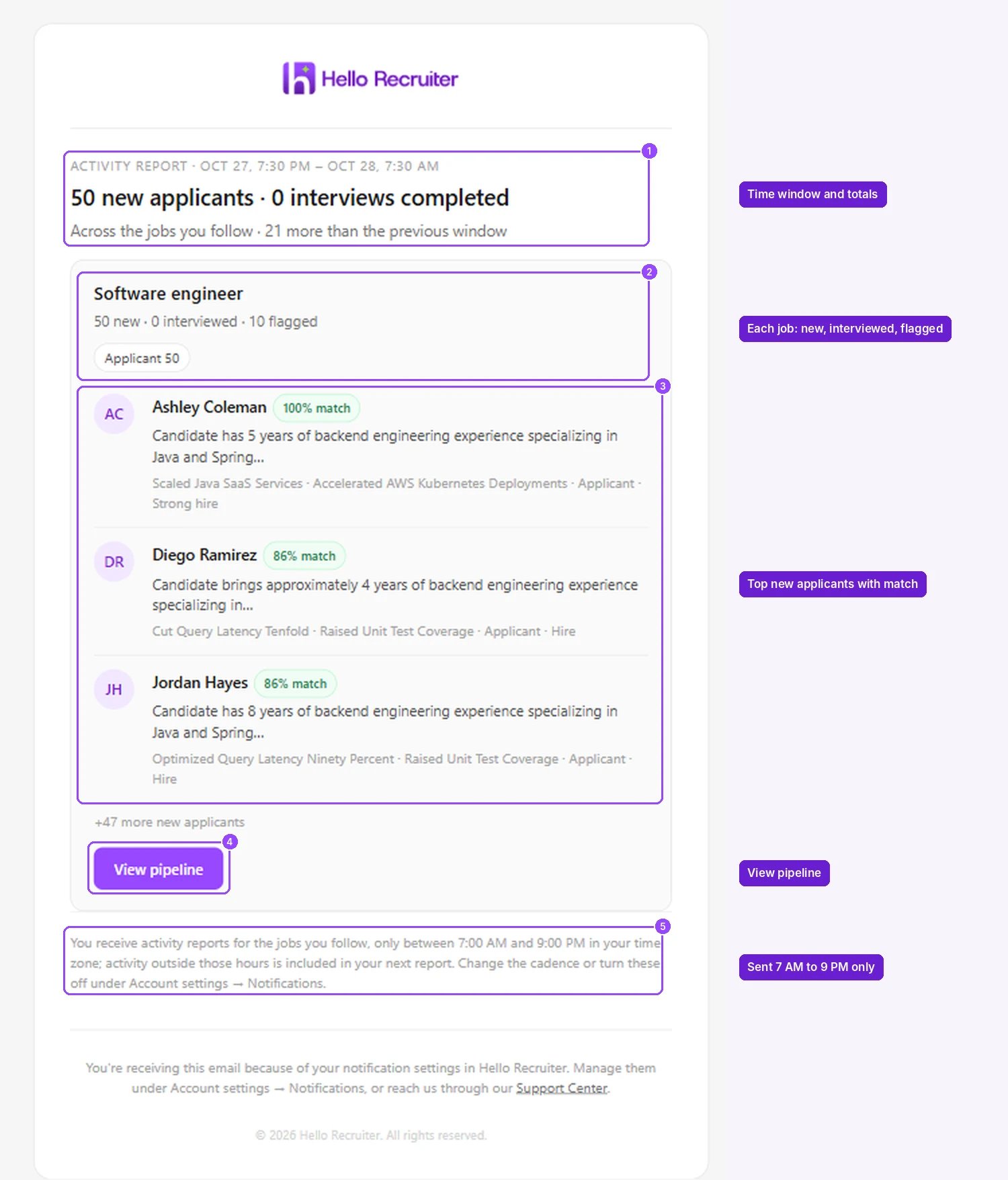
An activity report email
Daily Digest
One email a day at the Delivery time you chose.- The day in numbers — candidates ready to review, new applicants, completed interviews, and flagged candidates.
- Waiting on you — candidates who need your decision, for example interviews scored Hire, with Review now.
- What moved today — each followed job with its counts, and a button to Review candidates or View pipeline.
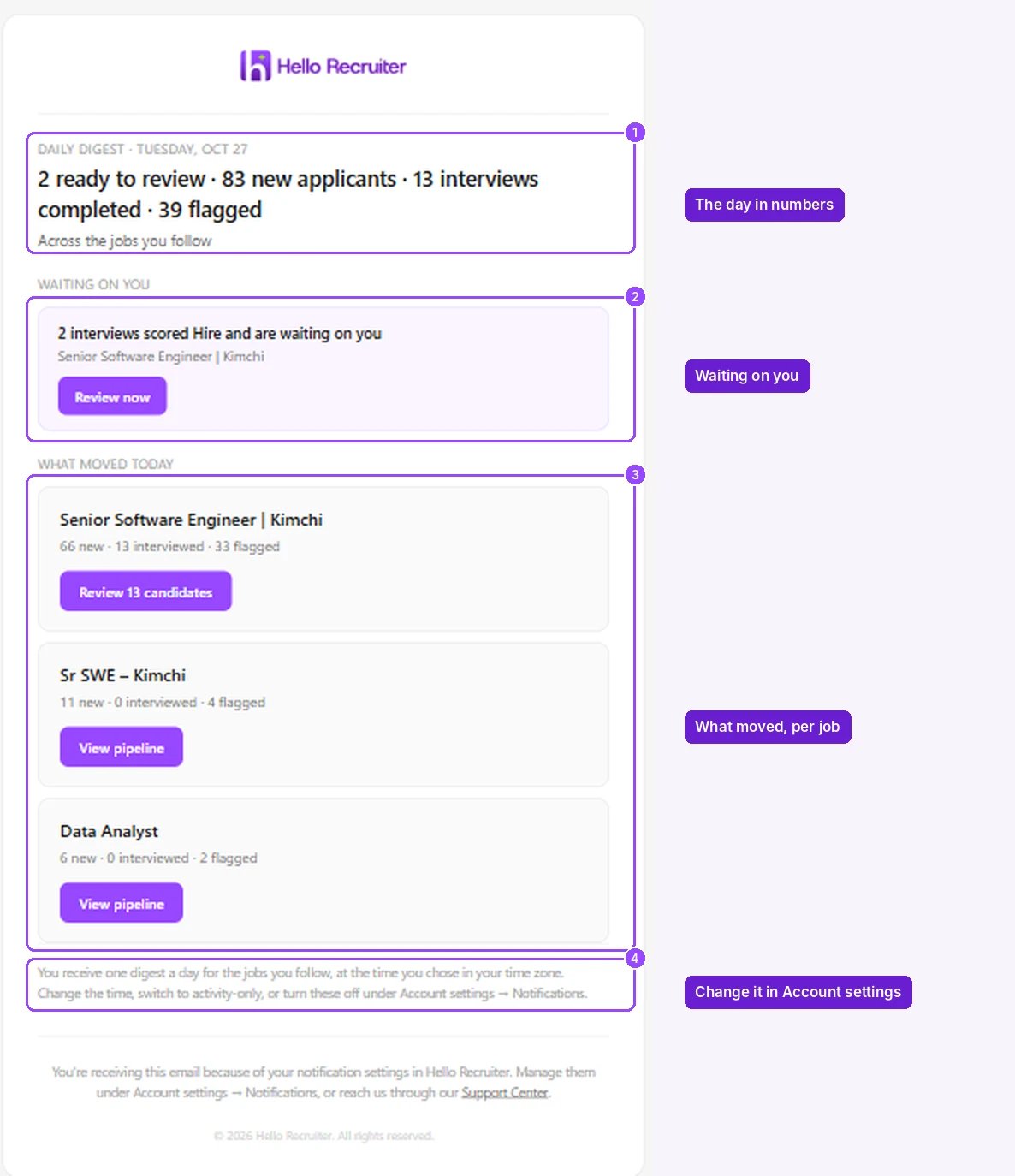
A daily digest email