

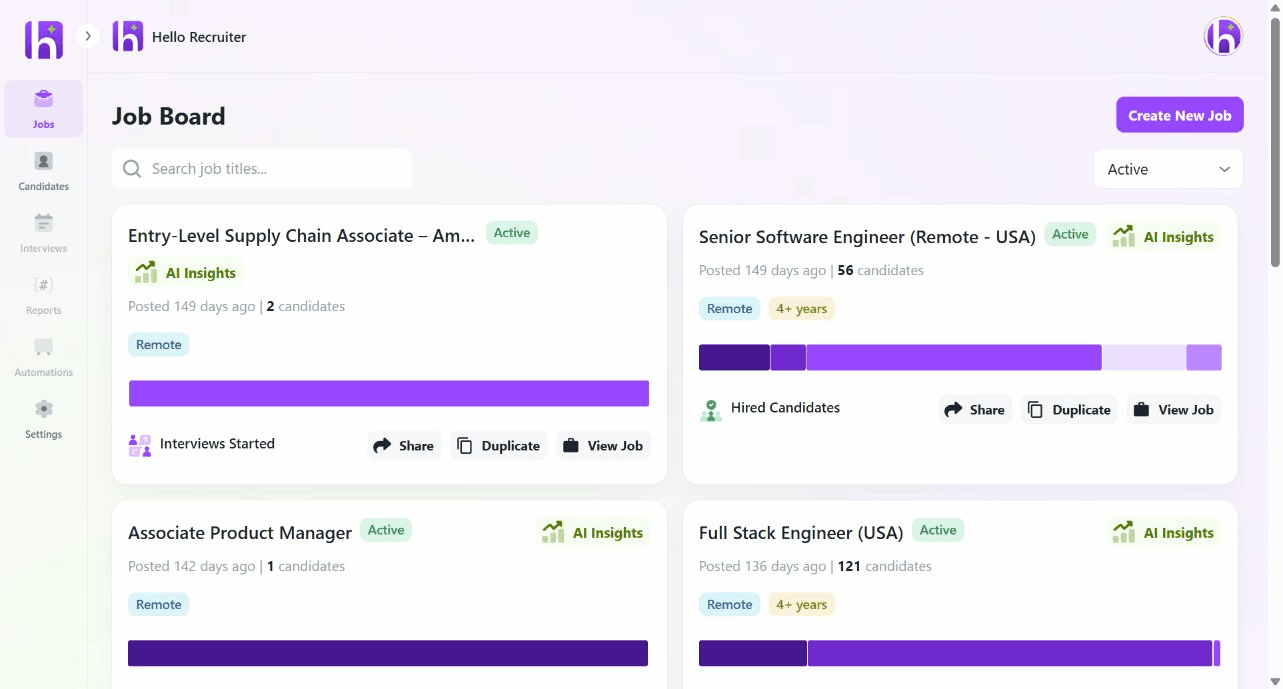
Dashboard Overview
Jobs
View all your job openings, their statuses (Draft, Active, Paused, Closed), and quick access to create new roles.
Candidates
Browse all applicants across your jobs, filter by status, and dive into individual candidate profiles.
Interviews
Monitor active AI interviews, view completed evaluations, and access interview summaries and recordings.
Settings
Configure your organization, team members, AI knowledge base, branding, and billing.
Key Actions
From your dashboard, you can quickly:- Create a new job by clicking + Create New Job in the Jobs section
- View candidate pipeline by selecting any active job to see its applicant list
- Access AI insights by clicking into any completed interview for scorecards and evaluations
- Manage your team through Settings → Team Management