> ## Documentation Index
> Fetch the complete documentation index at: https://docs.hellorecruiter.ai/llms.txt
> Use this file to discover all available pages before exploring further.
# AI Persona Settings — Customize Your Interviewer's Voice
> Configure your AI interviewer's name, voice, and accent to match your company's brand and create a welcoming candidate experience.
**Who is this for?** Users with **Administrator** or **Account Owner** roles.
Your AI interviewer's persona shapes the candidate experience. Configure it to match your company's tone and interview style.
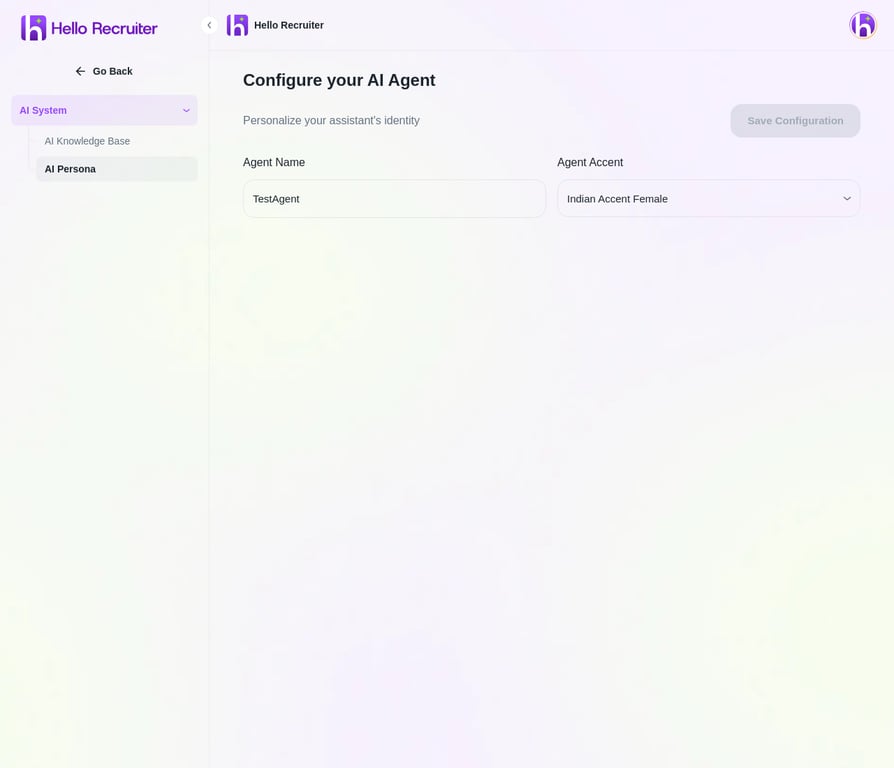 ## Persona Options
* **Agent Name** — Give your AI interviewer a name that candidates will see.
* **Voice & Accent** — Choose from a variety of voice options to match your brand and audience.
## Configuring Your Persona
Go to **Settings** → **AI System** → **AI Persona**.
Enter a name for your AI interviewer. This is what candidates will see during the interview.
Select a **Voice & Accent** from the dropdown menu that matches your brand.
Click **Save** to apply the new persona to all future interviews.
## Best Practices
**Match your brand voice.** If your company culture is casual and startup-y, use a friendly, conversational tone. If you're in finance or law, a more professional tone may be appropriate.
**Test it yourself.** After configuring, run a test interview to experience what candidates will see. Small tweaks to the intro message and tone can significantly impact candidate comfort.
## Related Guides
## Persona Options
* **Agent Name** — Give your AI interviewer a name that candidates will see.
* **Voice & Accent** — Choose from a variety of voice options to match your brand and audience.
## Configuring Your Persona
Go to **Settings** → **AI System** → **AI Persona**.
Enter a name for your AI interviewer. This is what candidates will see during the interview.
Select a **Voice & Accent** from the dropdown menu that matches your brand.
Click **Save** to apply the new persona to all future interviews.
## Best Practices
**Match your brand voice.** If your company culture is casual and startup-y, use a friendly, conversational tone. If you're in finance or law, a more professional tone may be appropriate.
**Test it yourself.** After configuring, run a test interview to experience what candidates will see. Small tweaks to the intro message and tone can significantly impact candidate comfort.
## Related Guides