> ## Documentation Index
> Fetch the complete documentation index at: https://docs.hellorecruiter.ai/llms.txt
> Use this file to discover all available pages before exploring further.
# AI Knowledge Base — Train Your AI Interviewer
> Add company info, culture, tech stack, and role context to Hello Recruiter's AI Knowledge Base for smarter, more relevant interviews.
**Who is this for?** Users with **Administrator** or **Account Owner** roles.
The AI Knowledge Base allows you to provide Hello Recruiter's AI with context about your company, culture, products, and processes — so it can ask more relevant questions and evaluate candidates more accurately.
 ## What to Include
Provide information that helps the AI understand your organization:
* **Company overview** — What you do, your mission, market position
* **Culture and values** — What matters to your team
* **Products and services** — Key offerings the candidate should understand
* **Technical stack** — Technologies your team uses (for technical roles)
* **Common interview topics** — Specific areas you always want explored
## Adding Knowledge
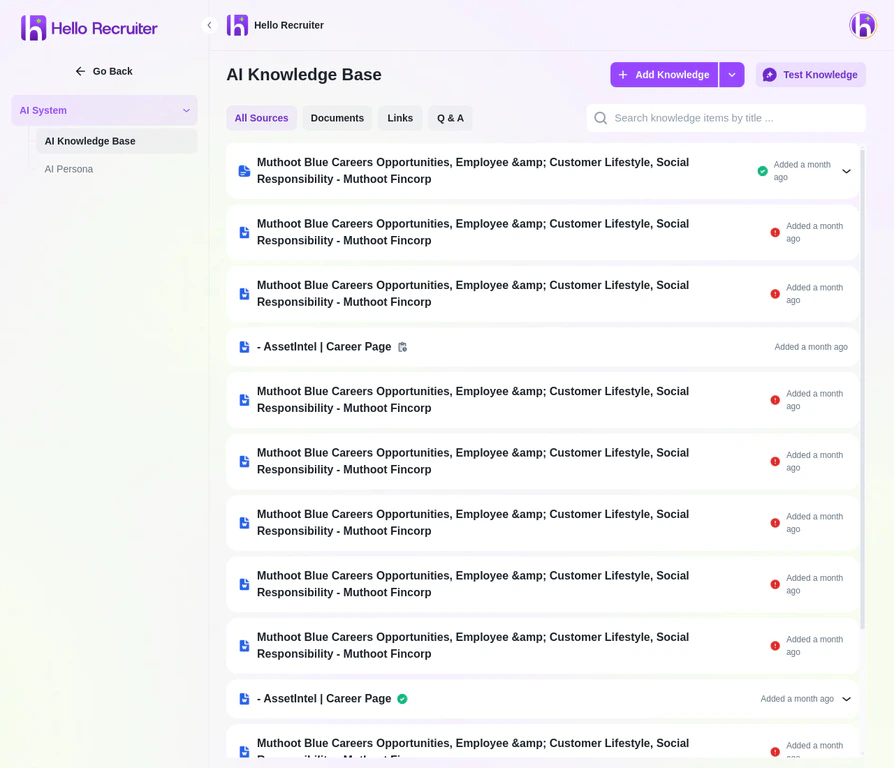
Go to **Settings** → **AI System** → **AI Knowledge Base**.
Click the **+ Add Knowledge** button to open the upload dialog.
You can add knowledge by uploading documents, adding website links, or creating Q\&A pairs.
Click **Save** — the AI will incorporate this context in all future interviews.
## How It's Used
The AI uses your knowledge base to:
* Ask **contextual follow-up questions** related to your specific domain
* **Evaluate responses** against your company's actual needs
* Provide **richer scorecards** with company-specific insights
**Keep it updated.** As your company evolves — new products, changed tech stack, updated values — refresh the knowledge base so the AI stays current.
## Related Guides
## What to Include
Provide information that helps the AI understand your organization:
* **Company overview** — What you do, your mission, market position
* **Culture and values** — What matters to your team
* **Products and services** — Key offerings the candidate should understand
* **Technical stack** — Technologies your team uses (for technical roles)
* **Common interview topics** — Specific areas you always want explored
## Adding Knowledge
Go to **Settings** → **AI System** → **AI Knowledge Base**.
Click the **+ Add Knowledge** button to open the upload dialog.
You can add knowledge by uploading documents, adding website links, or creating Q\&A pairs.
Click **Save** — the AI will incorporate this context in all future interviews.
## How It's Used
The AI uses your knowledge base to:
* Ask **contextual follow-up questions** related to your specific domain
* **Evaluate responses** against your company's actual needs
* Provide **richer scorecards** with company-specific insights
**Keep it updated.** As your company evolves — new products, changed tech stack, updated values — refresh the knowledge base so the AI stays current.
## Related Guides