> ## Documentation Index
> Fetch the complete documentation index at: https://docs.hellorecruiter.ai/llms.txt
> Use this file to discover all available pages before exploring further.
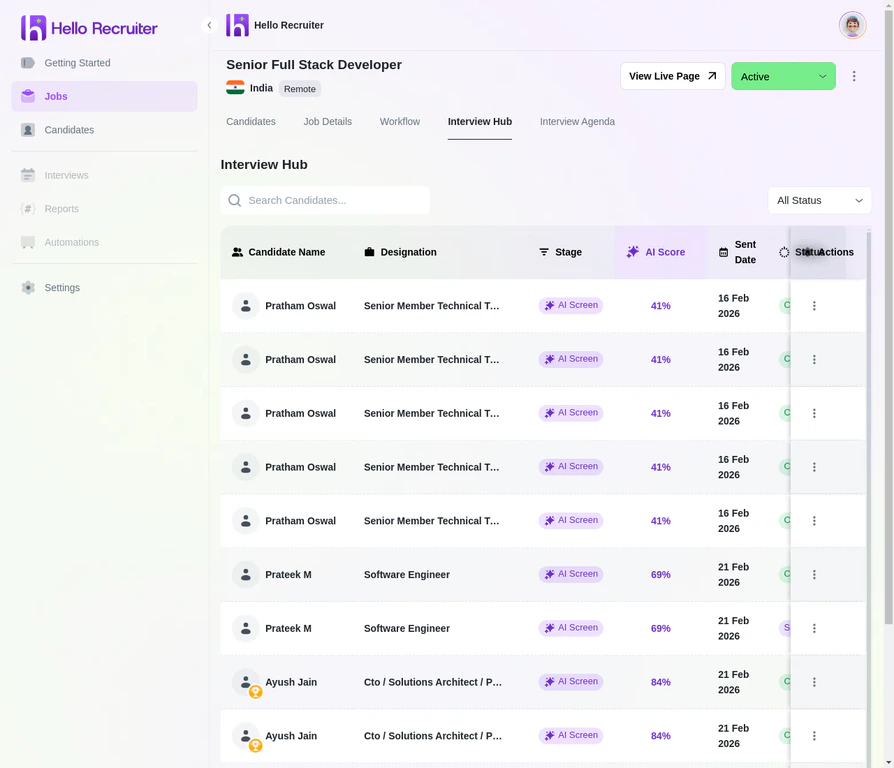
# Interview Hub — Track & Review AI Interview Progress
> Monitor pending, in-progress, and completed AI interviews. Review recordings, transcripts, scorecards, and risk signals from one hub.
Hello Recruiter handles the entire interview lifecycle automatically, but you stay in control.
 ## Interview States
| State | Description |
| --------------- | --------------------------------------------------- |
| **Pending** | Invitation sent, candidate hasn't started |
| **In Progress** | Candidate is currently in the AI interview |
| **Completed** | Interview finished, scorecard available |
| **Expired** | Candidate didn't complete within the allowed window |
## Reviewing Completed Interviews
When an interview is completed:
Navigate to the candidate's profile from the Candidates section or the Interview Hub.
Click **View Interview** to see the full conversation, including the transcript and any recordings.
Check the **Scorecard** tab for AI-generated evaluations, criteria breakdowns, and the AI summary.
Review the **Risk Signals** tab for any flagged activity such as AI usage or impersonation.
## Interview Recordings
If enabled, you can access the full interview recording:
* **Video playback** of the candidate's session
* **Transcript** of the full conversation
* **Timestamp markers** for key moments flagged by the AI
**Use transcripts for team review.** Share the transcript with hiring managers who weren't involved in the screening process, so they can quickly assess candidates without watching the full recording.
## Related Guides
## Interview States
| State | Description |
| --------------- | --------------------------------------------------- |
| **Pending** | Invitation sent, candidate hasn't started |
| **In Progress** | Candidate is currently in the AI interview |
| **Completed** | Interview finished, scorecard available |
| **Expired** | Candidate didn't complete within the allowed window |
## Reviewing Completed Interviews
When an interview is completed:
Navigate to the candidate's profile from the Candidates section or the Interview Hub.
Click **View Interview** to see the full conversation, including the transcript and any recordings.
Check the **Scorecard** tab for AI-generated evaluations, criteria breakdowns, and the AI summary.
Review the **Risk Signals** tab for any flagged activity such as AI usage or impersonation.
## Interview Recordings
If enabled, you can access the full interview recording:
* **Video playback** of the candidate's session
* **Transcript** of the full conversation
* **Timestamp markers** for key moments flagged by the AI
**Use transcripts for team review.** Share the transcript with hiring managers who weren't involved in the screening process, so they can quickly assess candidates without watching the full recording.
## Related Guides