> ## Documentation Index
> Fetch the complete documentation index at: https://docs.hellorecruiter.ai/llms.txt
> Use this file to discover all available pages before exploring further.
# Candidate Application Flow & AI Interview Invitations
> How candidates discover jobs, submit applications, receive AI interview invitations, and complete the screening process automatically.
When a candidate applies for a job with an active AI interview, the invitation process is handled automatically.
## How It Works
The candidate discovers your open role on your public careers page.
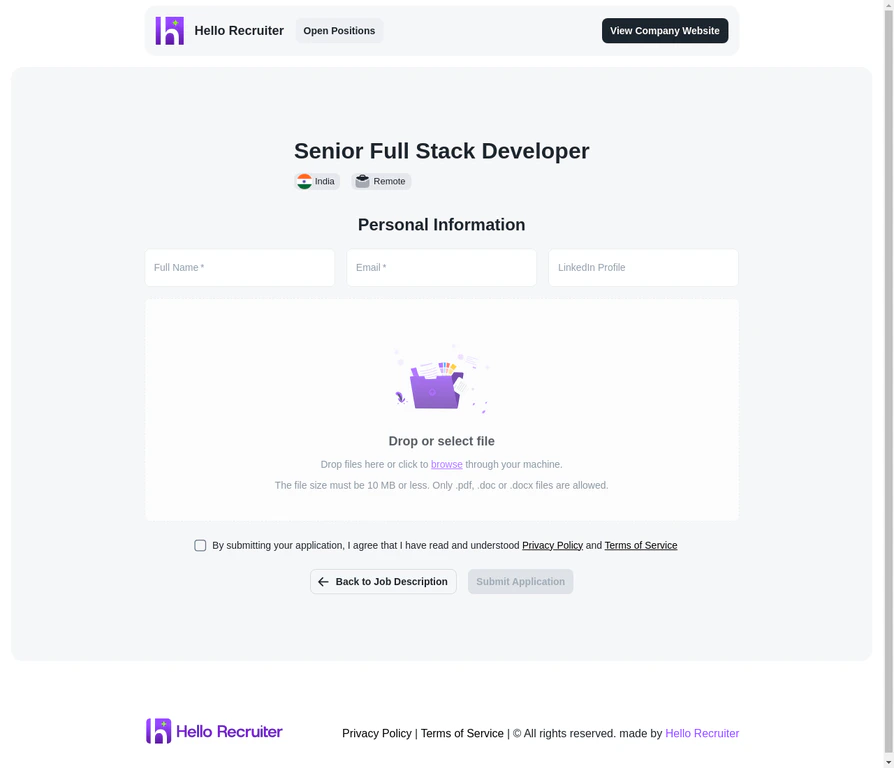
They click **Apply Now** and are taken to the application form.
They submit their personal information and resume.
 Hello Recruiter automatically sends an invitation email with a unique interview link.
The candidate clicks the link and enters the AI interview at their convenience.
The interview completes and a scorecard is generated for your review.
## Manual Invitations
You can also manually invite candidates to interview:
Navigate to the candidate's profile from the Candidates section.
Click **Send Interview Invitation**.
The candidate receives an email with their unique interview link.
## Invitation Settings
Configure how invitations work at the job level:
* **Auto-invite on apply** — Automatically send interview invitations when a candidate applies.
* **Expiration window** — Set how long candidates have to complete their interview (e.g., 7 days).
* **Reminder emails** — Enable automatic reminders for candidates who haven't started.
**Keep expiration windows reasonable.** 5–7 days is ideal. Too short may exclude busy candidates; too long creates pipeline drag.
## Related Guides
Hello Recruiter automatically sends an invitation email with a unique interview link.
The candidate clicks the link and enters the AI interview at their convenience.
The interview completes and a scorecard is generated for your review.
## Manual Invitations
You can also manually invite candidates to interview:
Navigate to the candidate's profile from the Candidates section.
Click **Send Interview Invitation**.
The candidate receives an email with their unique interview link.
## Invitation Settings
Configure how invitations work at the job level:
* **Auto-invite on apply** — Automatically send interview invitations when a candidate applies.
* **Expiration window** — Set how long candidates have to complete their interview (e.g., 7 days).
* **Reminder emails** — Enable automatic reminders for candidates who haven't started.
**Keep expiration windows reasonable.** 5–7 days is ideal. Too short may exclude busy candidates; too long creates pipeline drag.
## Related Guides